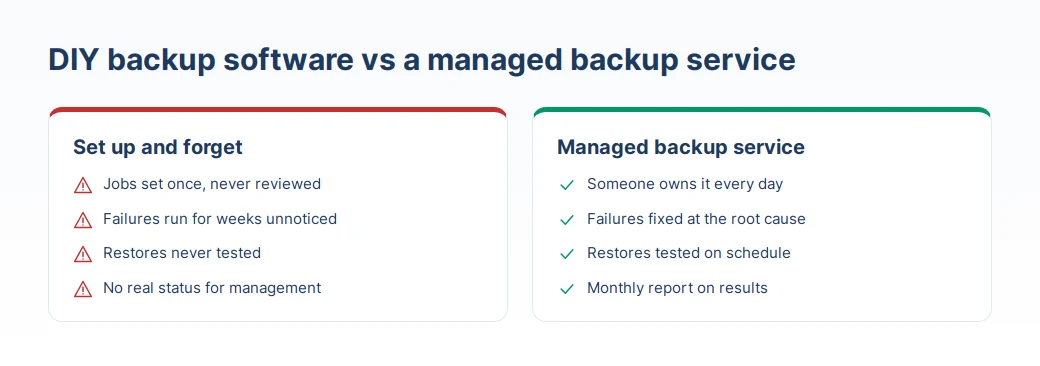
Plenty of companies buy backup software, set up jobs on installation day and never look at them again. Then a server dies or ransomware hits, and they find that jobs have been failing for weeks, new machines were never added, or the backup files will not open.
The software is rarely the problem. Backup is ongoing work, not a one-off project. This article explains what a managed backup service is and the seven monthly tasks it should cover, whether you hire a provider or keep the work in-house.
What a managed backup service is
A managed backup service is a provider looking after your backup system every month: watching job results daily, fixing failures, testing restores on a schedule and reporting the real status to management.
The difference from buying software and running it yourself is ownership. Do it yourself and the monitoring falls on an IT team that is already stretched. With a managed service, someone's job is to look after backups, with a process you can check.
Seven monthly tasks that make restores work
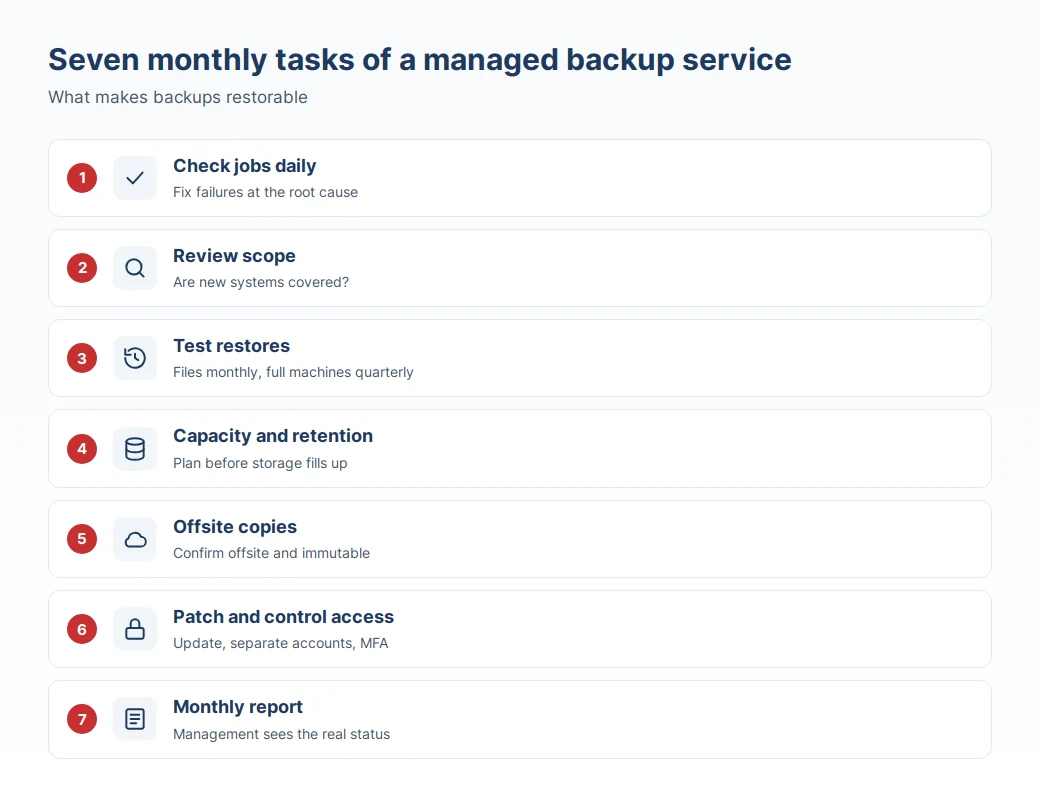
1. Check job results daily and fix failures
Jobs fail for all sorts of reasons: a full repository, an expired service-account password, a network drop. If nobody reads the alerts, a single failure can quietly run for weeks.
A good service checks results every working day, fixes the root cause rather than simply re-running the job, and records what happened and how it was fixed.
2. Review scope so new systems are covered
Companies change every month. New servers and VMs appear, new databases go live, more work moves to Microsoft 365. None of this is added to backup jobs automatically.
Each month, compare the list of real systems with what the backup jobs cover. Add anything missing straight away and confirm with each system owner which data matters.
3. Test restores on a schedule
The most important task and the one most often skipped. A monthly service should fix the cycle: sample file restores every month and a full-machine restore every quarter, with the actual time recorded against the RTO target.
4. Watch storage capacity and retention
Backup storage grows every month. Without planning, one day the repository fills up and every job stops at once.
Check retention as well: are you keeping copies for as long as the business needs, for example financial records that must go back several years, or audit requirements?
5. Confirm offsite and immutable copies
Modern ransomware goes after backups first. If every copy sits on the same network as production, they can all be lost together.
Each month, confirm that offsite or cloud copies arrived on schedule, and if you use immutable backup, check that it still works as configured, in line with the 3-2-1 rule we covered earlier.
6. Patch the backup platform and review admin access
Backup software has vulnerabilities and updates like any other software. Follow vendor advisories and apply updates on a planned cycle.
Review who can reach the backup console too. Remove people who no longer need access, keep backup admin accounts separate from ordinary domain accounts and turn on MFA, because anyone who can log in to the console can delete your backups.
7. Send a monthly report and hold a short review
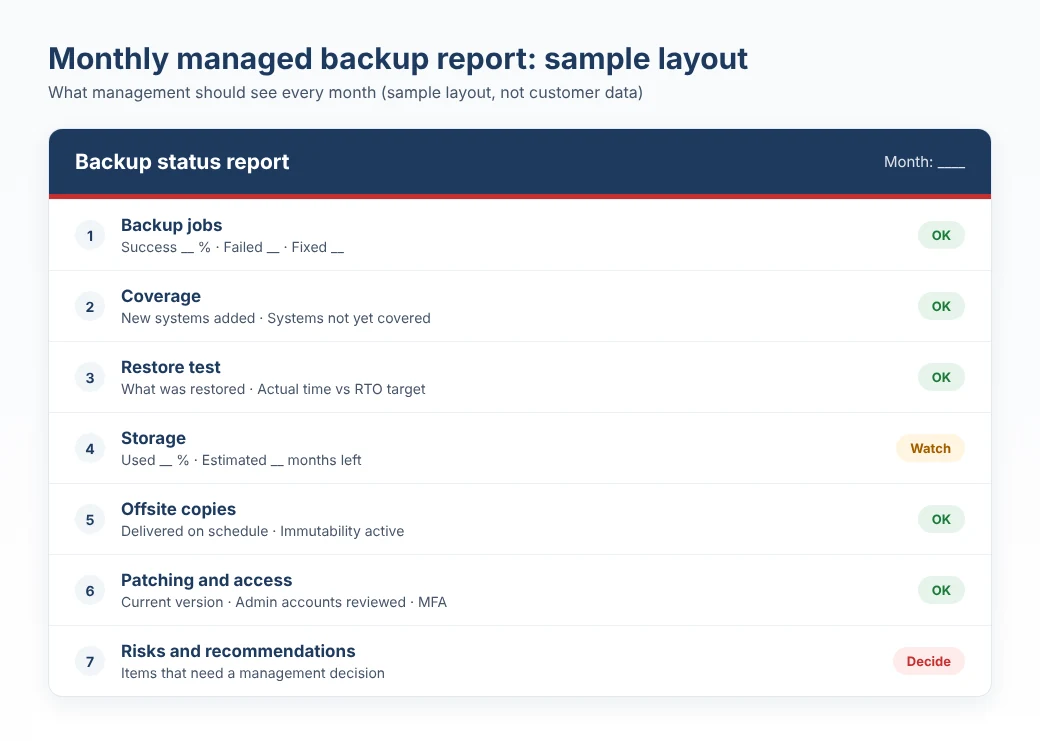
Executives do not need the technical detail, but they should know how safe the company's data is. A useful monthly report answers:
- What share of jobs succeeded, and were the failures fixed?
- Were new systems added to backup?
- How did this month's restore test go, and how long did it take?
- How long will current storage last?
- What risks or recommendations need a decision?
Who should use a managed backup service
It suits companies with a small IT team or one that covers many areas at once, companies with systems that cannot stop, such as accounting or sales, and companies that need evidence for auditors that data is backed up and can be restored.
If your team has someone with time to do all seven tasks every month, running it yourself is a sound choice, and this checklist works as your internal standard.
The short version
Backups only matter on the day you need to restore, and that day rarely gives notice. These seven monthly tasks, covering failed jobs, scope, restore tests, storage, offsite copies, patching and access, and reporting, are what turn "we have backups" into "we can recover".
If you would like J.A.I Solution to assess your current backup setup against this checklist, or look after it every month, get in touch through our website.